How to Update Your Portfolio?
This tool provides a complete solution for creating and updating your portfolio. In addition to building a portfolio, it allows you to update it anytime with skills, projects, experiences, and more without any limitations. Managing a portfolio after its creation has always been a major challenge. If the problem were limited only to creation, you would see portfolios on most professional profiles, as it would involve a one-time cost that many could afford. Professionals could simply hire a developer to build their portfolio, and some have done so. However, since the challenge extends beyond creation, many have chosen to ignore it entirely.
The biggest issue has always been maintaining and updating the portfolio over time. This is why many professionals have avoided using them consistently. This tool effectively solves that problem by enabling seamless, unlimited, and free updates.
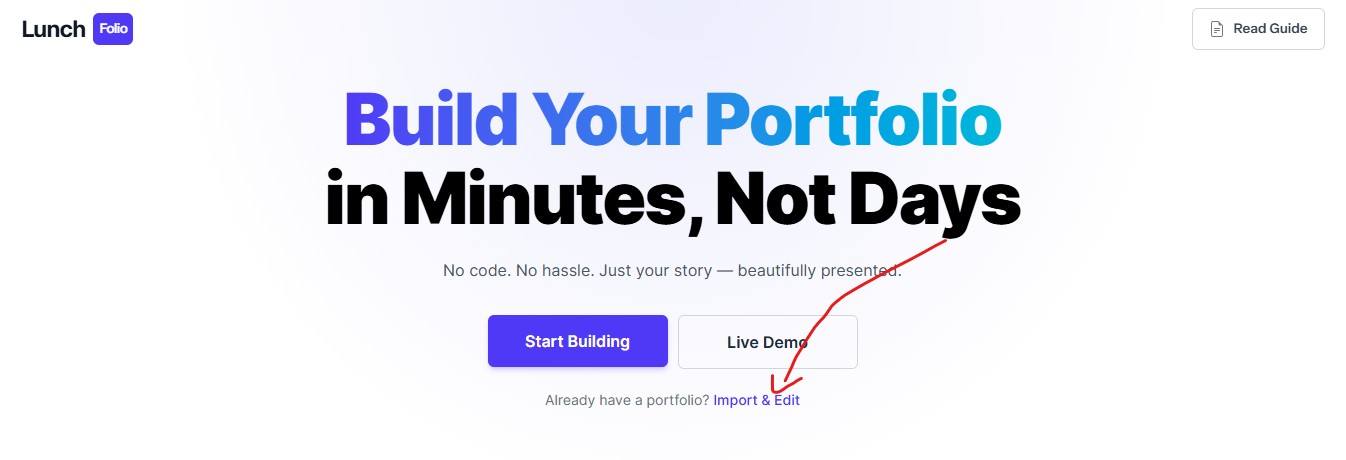
To update your existing portfolio, click on the Import & Edit link on the home page, as shown in the example below.
This will redirect you to the update page, where you need to provide the live link to your portfolio. For example, if your portfolio link is https://atril33.github.io/portfolio-test/, paste its live link into the input field.
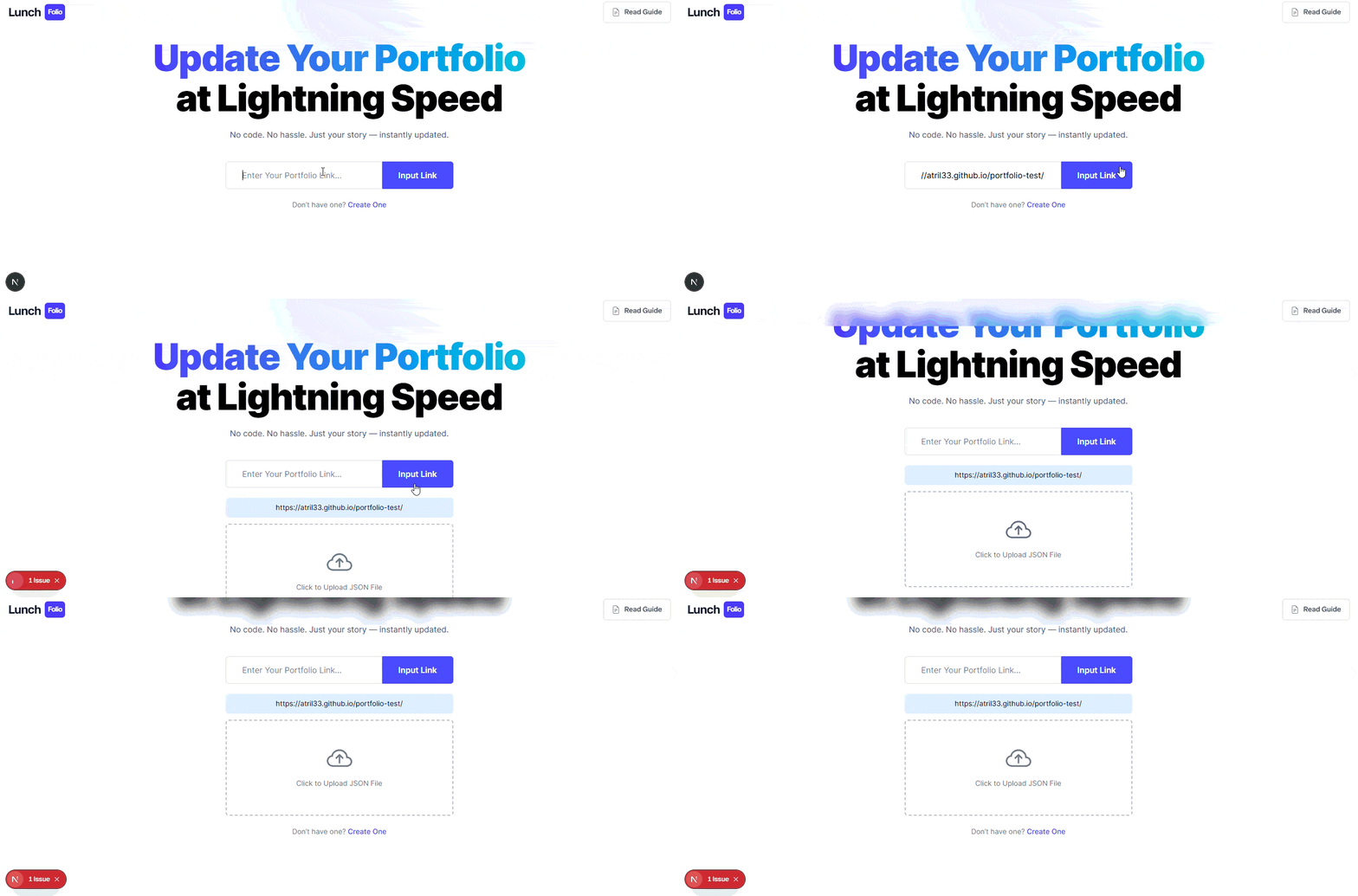
Ensure that the link is valid; otherwise, the process will not work. After adding the link, upload the portfolio.json file, which contains all your portfolio data. This file is generated when you export your portfolio and is specifically designed to support smooth and efficient updates.
To get this file, visit your portfolio URL and add /portfolio.json at the end of the link.
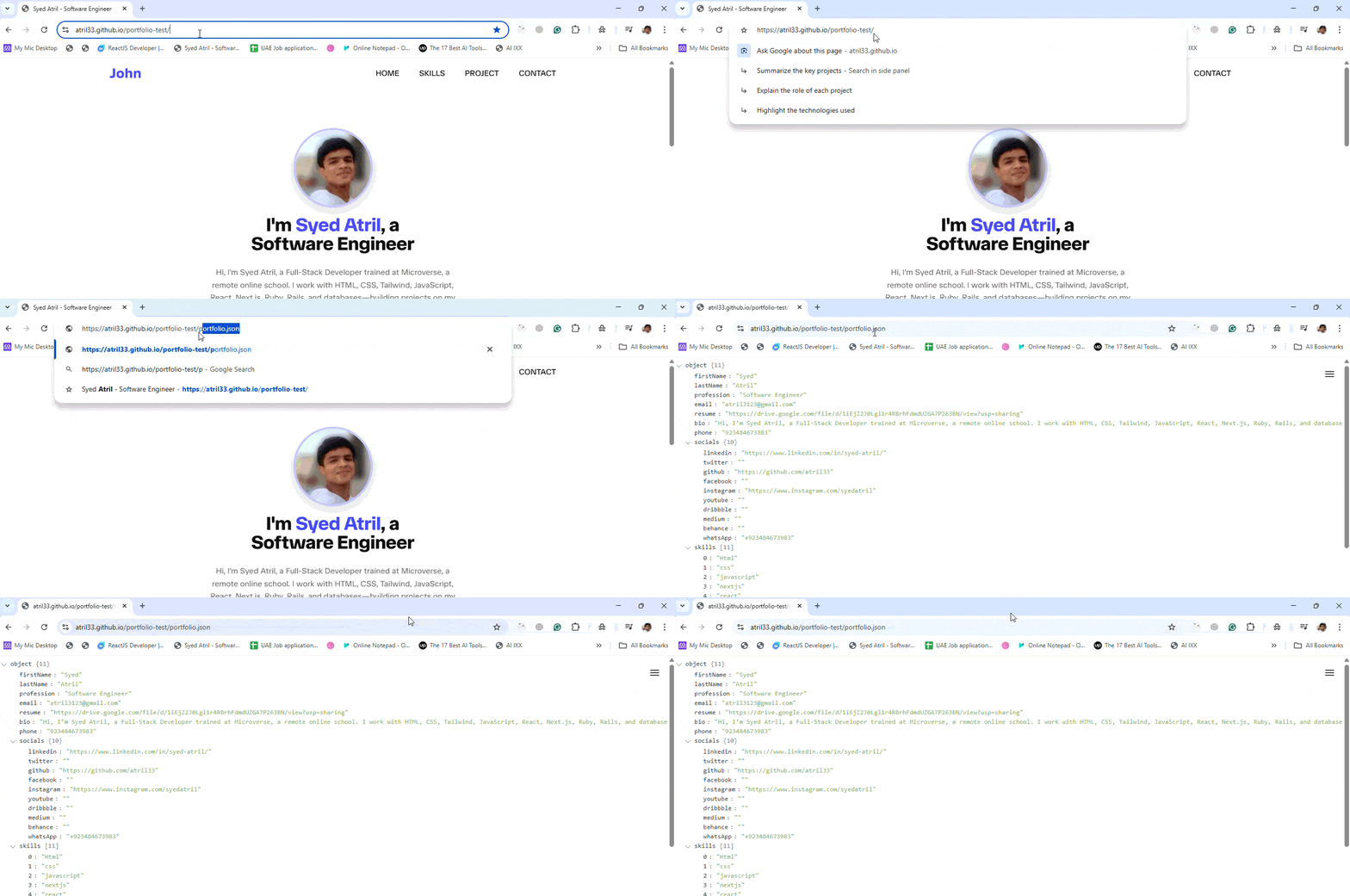
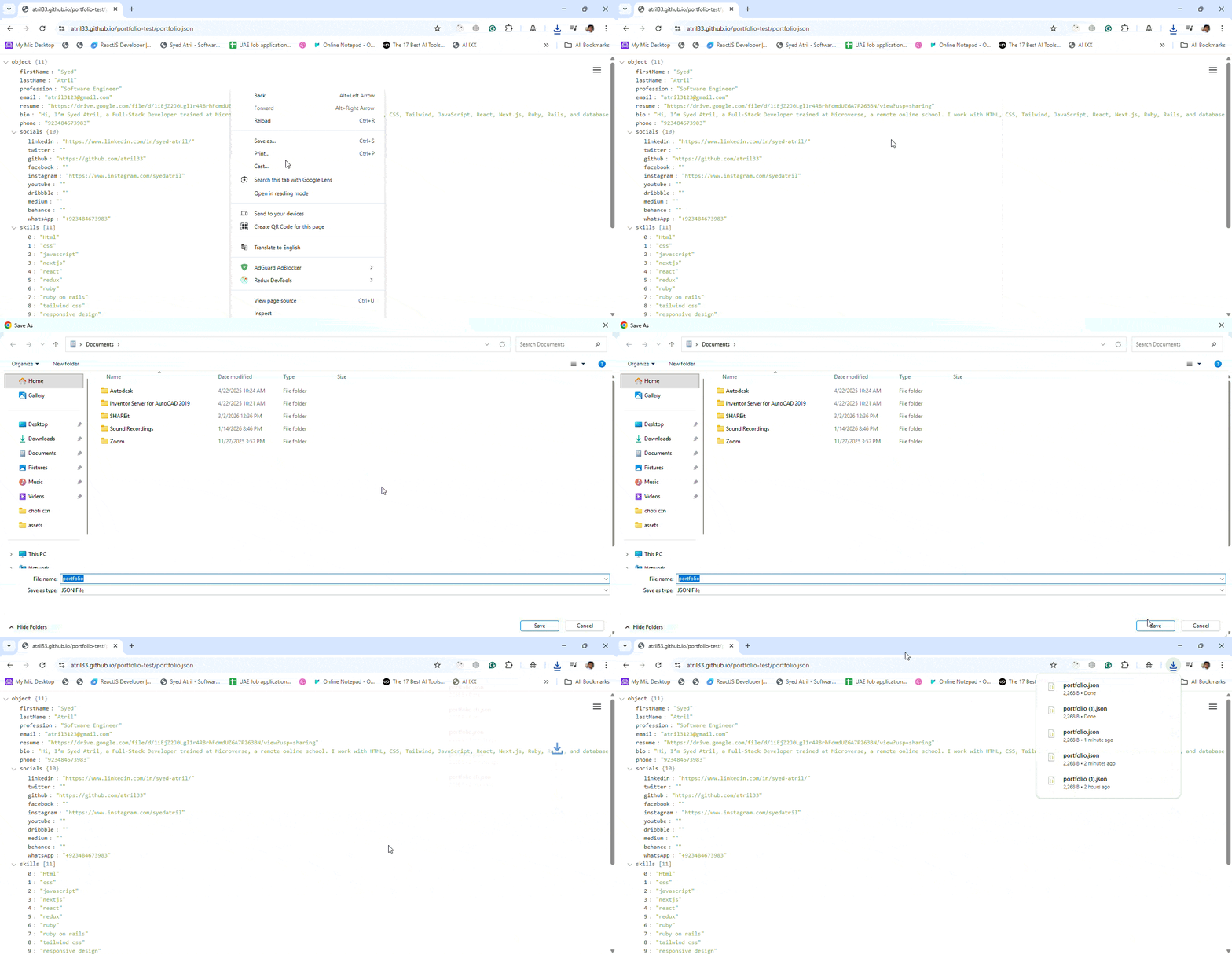
The file will look like a JSON object as shown above, save it to your device by right-clicking in your browser.
Then, upload the file in the tool and click on the Process with File button. The system will extract all the necessary data automatically.
Within a few moments, you will be redirected to the create page, where the form will be pre-filled with your existing portfolio data based on the link and file you provided. This functionality eliminates the need to re-enter all your information from scratch, saving time and effort.
You can now modify your portfolio by adding or removing skills, projects, or experiences. After making your updates, export the portfolio again and replace the old files with the new ones on your hosting platform.